
In the AI era, typing everything manually is slowly becoming outdated.
Instead of spending hours writing emails, brainstorming content ideas, creating social media captions, or organizing messy notes, you can now simply speak — and let AI do the rest.
That’s exactly why Letterly is becoming one of the fastest-growing AI productivity apps in 2026.
Unlike traditional voice transcription apps, Letterly doesn’t just convert speech into text. It uses advanced AI to transform messy voice notes into polished, structured, and ready-to-use content within seconds.
Whether you’re a:
- content creator,
- affiliate marketer,
- entrepreneur,
- freelancer,
- student,
- or productivity enthusiast,
Letterly can dramatically speed up your workflow.
In this detailed review, we’ll cover:
- What Letterly is ?
- Key features
- Real-world pros and cons
- Comparison with competitors like Otter AI, Notta, and Wispr Flow
- Pricing
- Who should use it
- Whether it’s worth the money
- And why many creators are switching to AI voice workflows
What Is Letterly?
Letterly Official Website is an AI-powered voice note and speech-to-text app designed to help users turn spoken thoughts into professional written content.
But here’s the important difference:
Most transcription tools simply “type out” what you say.
Letterly actually understands your intent and rewrites your speech into clear, polished, structured content.
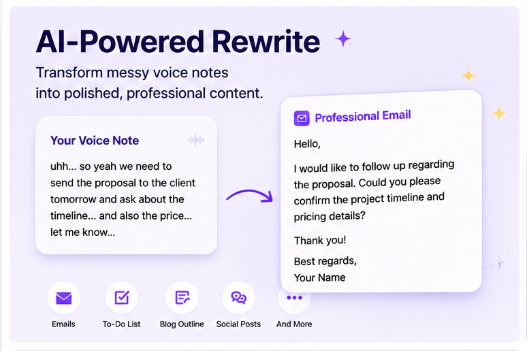
For example, if you say:
“Uh… remind me tomorrow to send the client the website proposal and ask about the project timeline…”
Letterly can automatically turn it into:
“Hello, I’d like to follow up regarding the website proposal and confirm the project timeline.”
That AI rewriting capability is what makes Letterly stand out from ordinary speech-to-text apps.
How Does Letterly Work?
The workflow is surprisingly simple.
Step 1: Record Your Voice
Open the app and press the record button.
You can speak naturally without worrying about perfect wording.
Step 2: AI Processes Your Speech
Letterly’s AI will:
- recognize your speech,
- understand context,
- remove filler words,
- improve grammar,
- organize ideas,
- and format the content.
Step 3: Choose the Output Style
You can instantly convert voice notes into:
- Emails
- Social media captions
- To-do lists
- Blog outlines
- Meeting summaries
- Journals
- Marketing copy
- LinkedIn posts
- Twitter/X posts
- Professional messages
This flexibility makes Letterly far more powerful than basic transcription software.
Key Features of Letterly
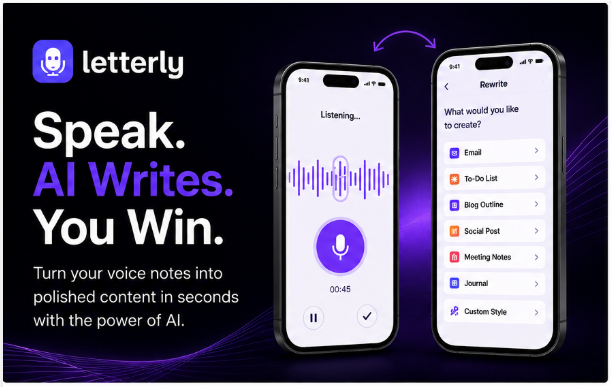
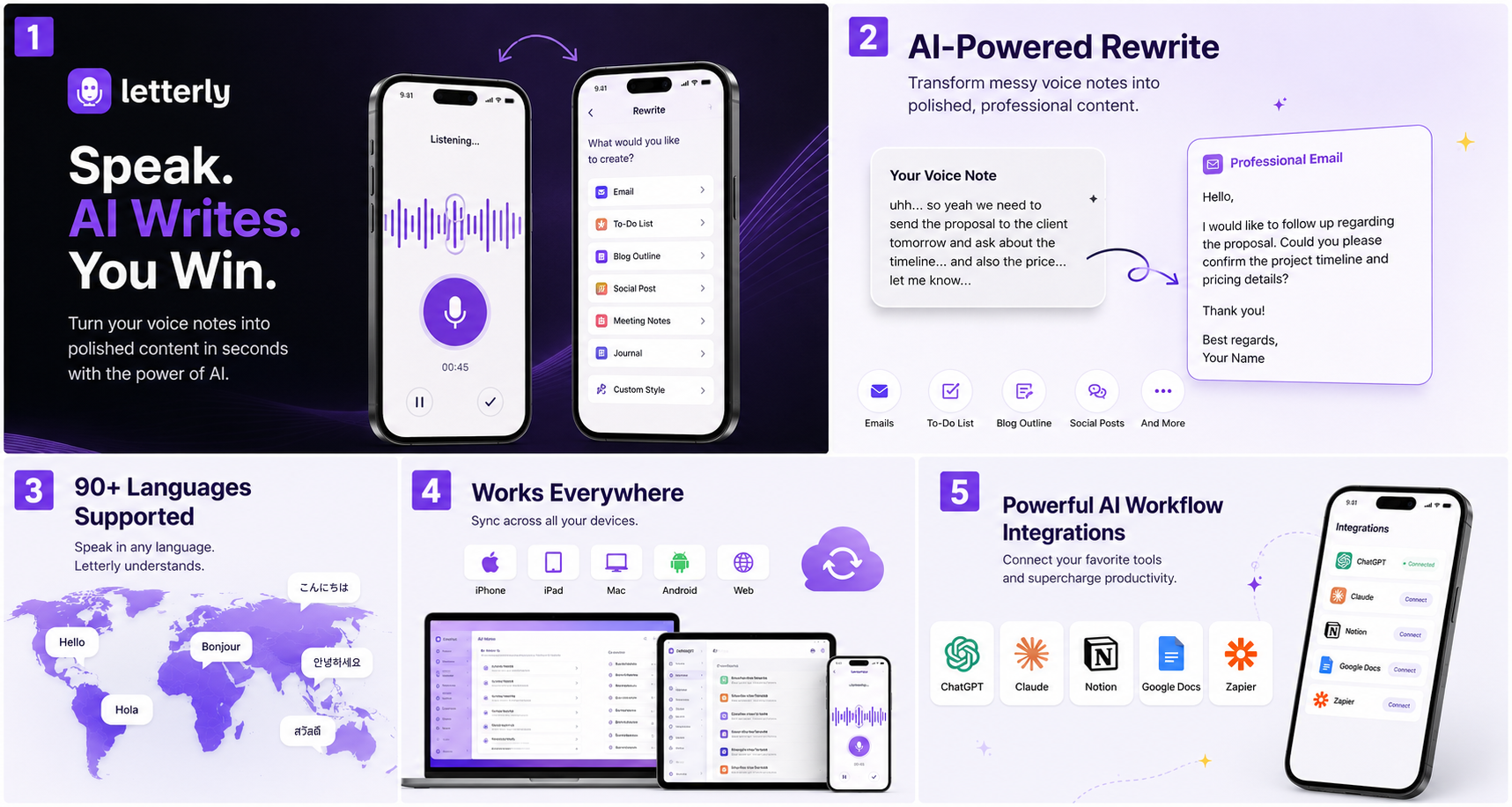
1. Advanced AI Rewriting
This is Letterly’s biggest selling point.
Instead of only generating transcripts, Letterly rewrites your ideas into different formats automatically.
For example:
- Voice note → Professional email
- Voice note → TikTok script
- Voice note → Content outline
- Voice note → Task list
- Voice note → Social media post
The app currently supports dozens of AI rewrite styles and templates.
You can even create custom rewrite styles for your workflow.
That’s especially useful for:
- marketers,
- content creators,
- founders,
- affiliate marketers,
- and social media managers.
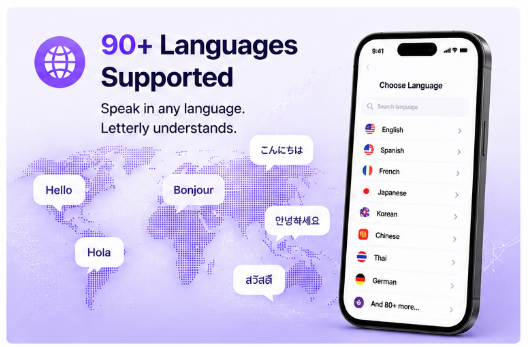
2. Supports 90+ Languages
Letterly supports over 90 languages.
This is extremely useful for:
- international creators,
- multilingual businesses,
- freelancers,
- digital nomads,
- and global marketing teams.
The automatic language detection is also surprisingly accurate.
3. Offline Recording
One underrated feature is offline recording.
You can record voice notes even without an internet connection.
That means you can:
- capture ideas while traveling,
- record on flights,
- brainstorm anywhere,
- and sync later.
Many AI apps still require a constant internet connection, so this feature is genuinely useful.
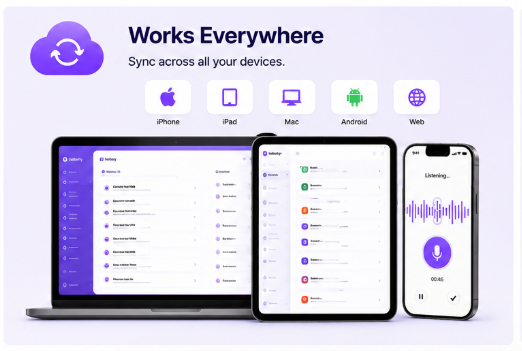
4. Cross-Platform Sync
Letterly works across:
- iPhone
- iPad
- Mac
- Android
- Web app
Everything syncs automatically between devices.
This makes it easy to move between mobile and desktop workflows.
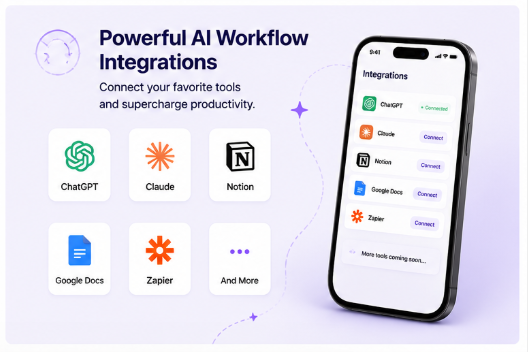
5. AI Productivity Workflow Integration
Letterly can fit into larger AI workflows alongside tools like:
- ChatGPT
- Claude
- Notion
- Zapier
- Google Docs
For productivity-focused users, this opens up powerful automation possibilities.
Real User Experience – Is Letterly Actually Good?
After testing Letterly in real-world workflows, here’s the honest breakdown.
What We Like
1. Extremely Fast
One of the biggest advantages is speed.
Instead of:
- typing manually,
- editing transcripts,
- or organizing scattered thoughts,
you simply talk for a few seconds and get usable content almost instantly.
That saves a huge amount of time.
2. AI Understands Context Surprisingly Well
This is where Letterly feels different.
Even if you:
- ramble,
- change topics,
- speak quickly,
- or organize thoughts poorly,
the AI still manages to restructure the content intelligently.
That’s impressive compared to most voice-to-text tools.
3. Excellent for Content Creators
If you create:
- TikTok videos,
- YouTube scripts,
- ad copy,
- affiliate content,
- emails,
- or social media posts,
Letterly can massively speed up idea generation.
Many creators think faster when speaking than typing.
Letterly turns that advantage into usable content.
4. Minimal and Clean Interface
Unlike some AI productivity apps that feel overloaded with features, Letterly keeps things simple.
The interface is beginner-friendly and easy to use immediately.
Downsides of Letterly
No tool is perfect.
Here are a few limitations.
1. English Performs Better Than Some Other Languages
While Letterly supports many languages, English currently produces the best results.
Other languages still work well, but formatting and punctuation may occasionally need adjustments.
2. Pricing May Feel Expensive for Casual Users
The premium version is not the cheapest AI app on the market.
For users who only occasionally use voice notes, the subscription price might feel high.
However, heavy creators and marketers will likely save enough time to justify the cost.
3. Not Built Primarily for Team Meeting Transcription
If your main goal is:
- Zoom meeting transcription,
- team collaboration,
- meeting analytics,
- or enterprise workflow management,
then tools like Otter AI may still be stronger.
Letterly focuses more on:
- personal productivity,
- content generation,
- journaling,
- and creative workflows.
Letterly vs Competitors
Letterly vs Otter AI
| Feature | Letterly | Otter AI |
|---|---|---|
| AI rewriting | Excellent | Basic |
| Meeting transcription | Good | Excellent |
| Content creation | Excellent | Weak |
| Productivity workflows | Strong | Moderate |
| Social media content | Excellent | Limited |
| UI simplicity | Better | More complex |
Otter AI is better for meetings and teams.
Letterly is better for creators and marketers.
Letterly vs Notta
| Feature | Letterly | Notta |
|---|---|---|
| AI formatting | Strong | Moderate |
| Content generation | Excellent | Average |
| Ease of use | Simple | More technical |
| Social media workflows | Strong | Limited |
| Voice-to-content workflow | Excellent | Good |
Letterly vs Wispr Flow
Wispr Flow focuses heavily on desktop dictation productivity.
Letterly focuses more on transforming spoken thoughts into publish-ready content.
That makes it more attractive for:
- creators,
- marketers,
- and entrepreneurs.
Who Should Use Letterly?
Content Creators
If you constantly:
- brainstorm content,
- create videos,
- write scripts,
- or generate ideas,
Letterly can save you hours every week.
Affiliate Marketers
This is one of the best use cases.
You can use Letterly to:
- brainstorm TikTok hooks,
- create ad copy,
- generate captions,
- outline blog posts,
- draft emails,
- organize campaign ideas.
Speaking is often much faster than typing.
Entrepreneurs & Founders
Founders constantly have ideas throughout the day.
Letterly helps capture those ideas instantly and turn them into:
- notes,
- tasks,
- emails,
- or content drafts.
Journal Writers & ADHD Productivity Users
Many users report that Letterly helps organize scattered thoughts more effectively.
Voice journaling becomes much easier when AI structures everything automatically.
Is Letterly Good for SEO Content Creation?
Yes — especially for idea generation and first drafts.
You can use Letterly to:
- brainstorm article outlines,
- generate content ideas,
- organize keyword concepts,
- record SEO strategies,
- and draft blog structures quickly.
A powerful workflow looks like this:
- Speak ideas into Letterly
- Let AI organize the draft
- Refine with ChatGPT
- Optimize for SEO
This process is dramatically faster than starting from a blank page.
Is Letterly Worth It?
YES — If You:
- create content regularly,
- use voice notes daily,
- run social media,
- work in marketing,
- do affiliate marketing,
- brainstorm constantly,
- or want to improve productivity.
MAYBE NOT — If You:
- rarely use voice notes,
- only need basic transcription,
- prefer typing everything manually,
- or only need meeting transcripts.
Final Verdict
After extensive testing, Letterly is easily one of the most interesting AI productivity apps available right now.
Its biggest strength is not transcription.
Its real strength is this:
Turning messy spoken thoughts into structured, usable content instantly.
That’s what separates Letterly from traditional speech-to-text apps.
For:
- creators,
- affiliate marketers,
- entrepreneurs,
- freelancers,
- and productivity enthusiasts,
Letterly can become a serious time-saving tool.
If you want to:
- speed up content creation,
- capture ideas faster,
- build AI-powered workflows,
- and create content using your voice,
then Letterly is absolutely worth trying.
Posts same category:
Stake.com Review 2026: An In-Depth Look at Stake Casino & Sportsbook
Viktor AI Review (2026): Is This the AI Employee That Can Actually Replace Human Work?
Letterly Review 2026 – The AI Voice-to-Text App That Turns Your Thoughts Into Professional Content
MagicPost AI Review: The Complete Guide to Writing and Scheduling LinkedIn Content with AI